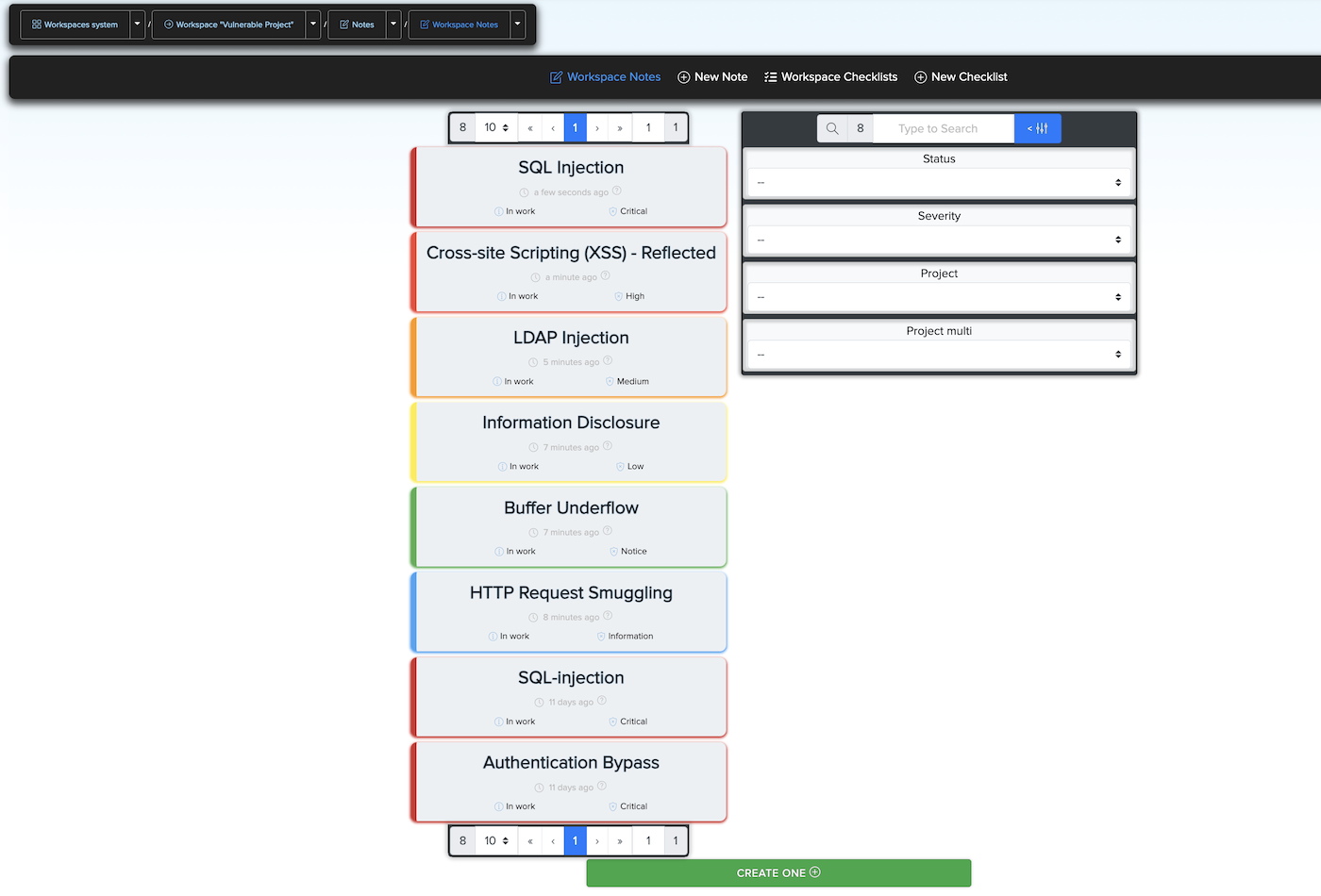
¶ 🗂️ CRM for Vulnerability Management
¶ 📌 Description
CryEye's CRM for Vulnerability Management allows users to manage security findings (facts) identified during scans.
You can:
- Request additional information or classification for a vulnerability
- Mark findings as false positives or not relevant
- Add internal notes and comments
- Use semi-automated tools for managing vulnerabilities across your workspace
- Create notes manually or directly from the Facts section
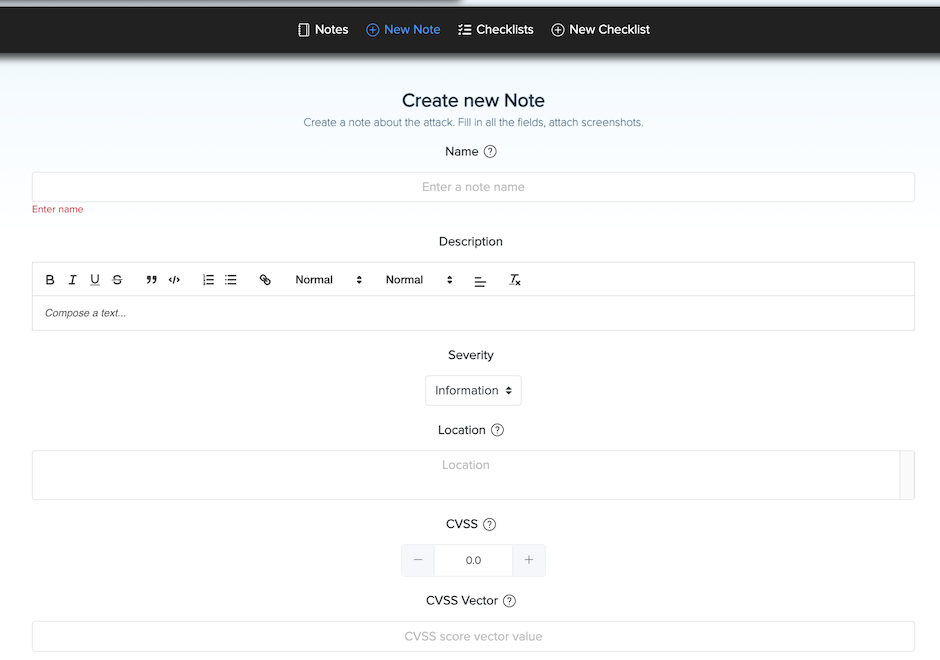
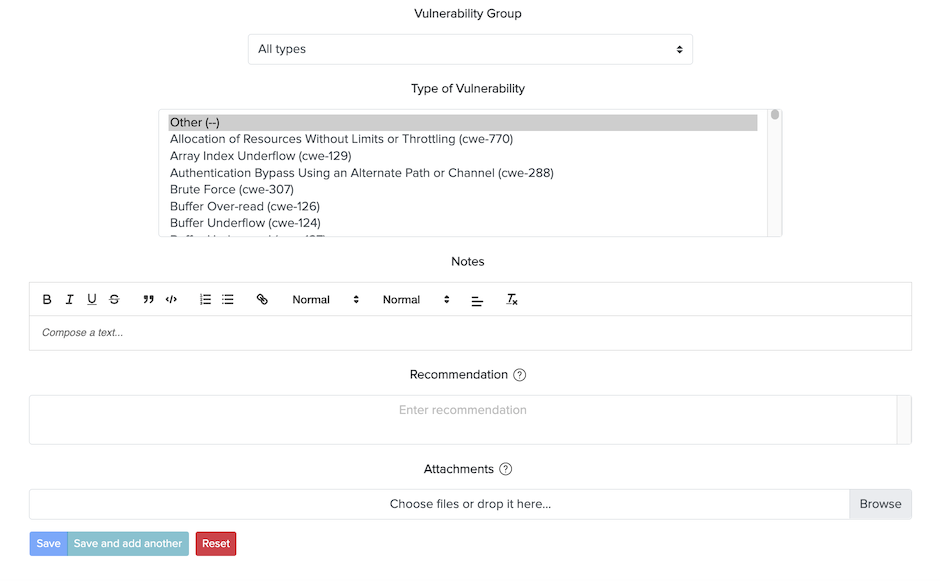
¶ ✏️ Example: Creating a Note
- Click to create a new note from a fact
- Fill in a title, description, and optional details
¶ 🧾 Example Description:
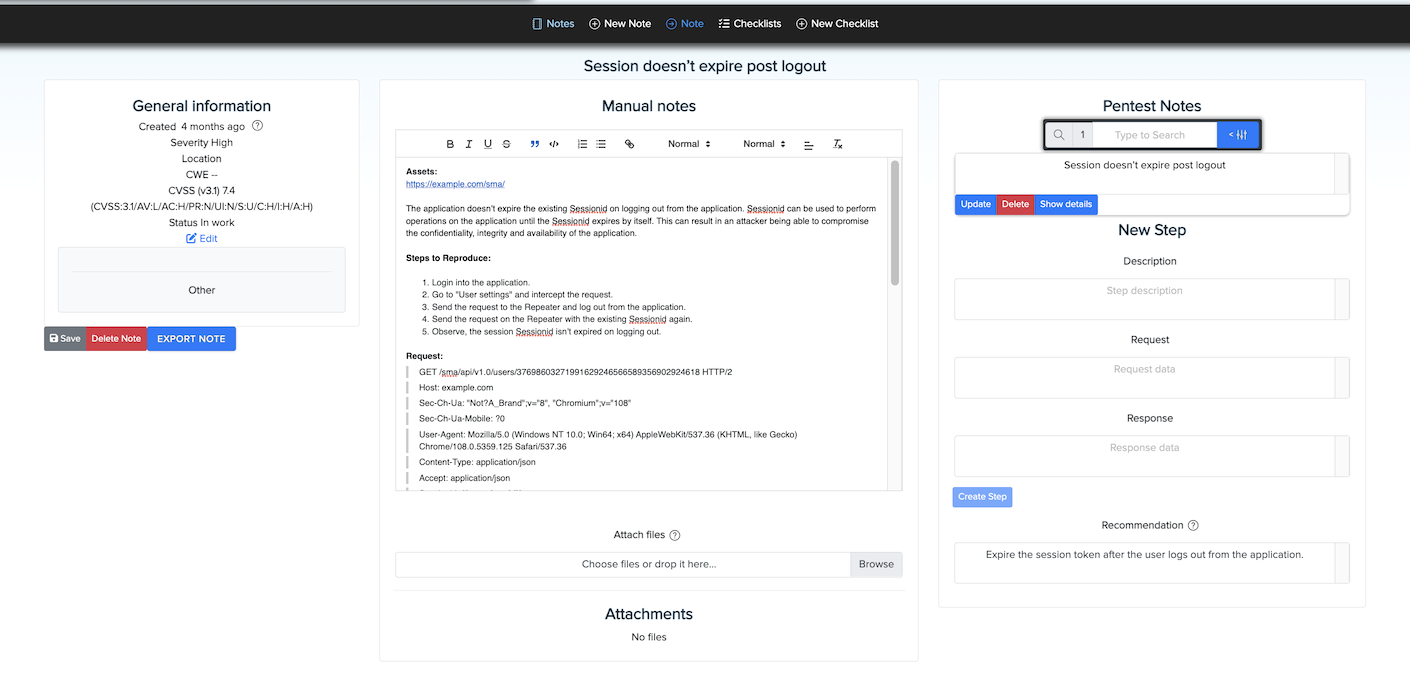
¶ 📒 Workspace Notes
All notes can be viewed and managed from the centralized Workspace Notes section.